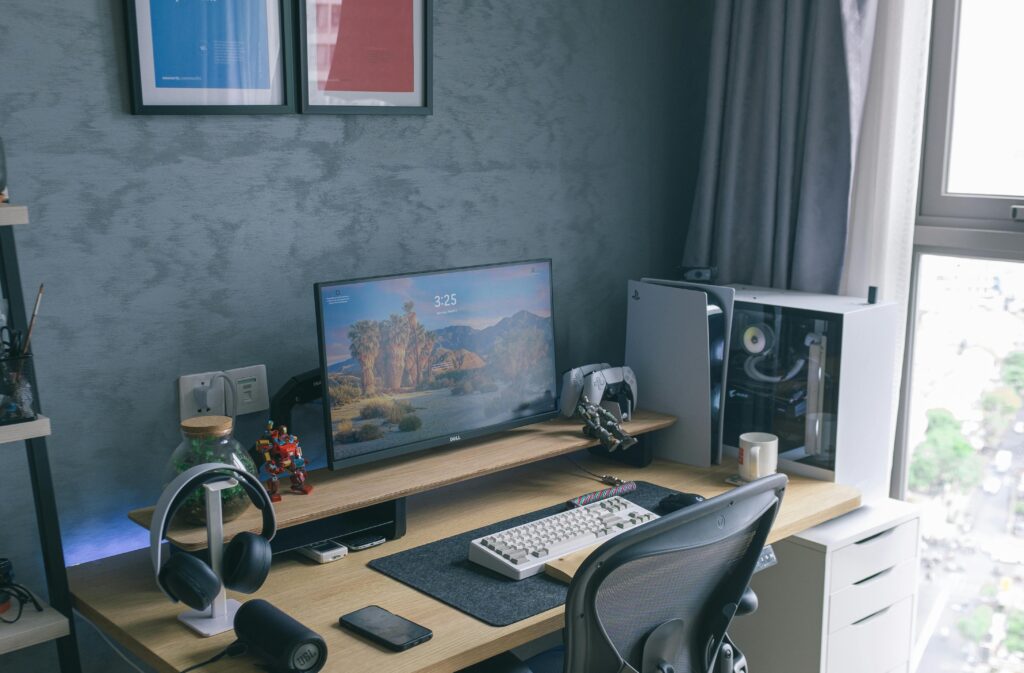
Most people spend hours sitting every single day without realizing how much it affects their body.
Whether you work from home, study online, attend meetings, or spend long hours at your desk, poor sitting habits can slowly damage your posture and overall health.
At first, the discomfort feels small:
- slight neck pain
- tight shoulders
- lower back discomfort
But over time, poor posture can lead to serious long-term problems.
The good news?
Most posture-related issues can be improved by making a few simple changes to your sitting habits and workspace setup.
In this guide, we’ll understand:
- how sitting affects posture
- common posture mistakes
- signs of poor posture
- practical ways to improve it
Why Sitting for Long Hours Is a Problem
The human body is not designed to stay in the same seated position for long periods.
When you sit for hours without proper support:
- muscles weaken
- spine alignment changes
- pressure builds in the lower back
Over time, this creates strain on:
- neck
- shoulders
- spine
- hips
This is why many people working desk jobs experience chronic discomfort.
Common Signs of Poor Sitting Posture

Many posture problems start slowly and are easy to ignore.
Here are some common warning signs:
- Neck stiffness
- Rounded shoulders
- Lower back pain
- Headaches after long work sessions
- Tight hips
- Slouching while sitting
If you notice these regularly, your posture may already be affected.
How Poor Sitting Affects the Spine

Your spine has a natural curve designed to support body movement and balance.
Poor sitting posture disrupts this alignment.
For example:
- leaning forward strains the neck
- slouching compresses the lower spine
- unsupported sitting weakens core muscles
Over time, this can increase fatigue and discomfort during daily activities.
Why Work From Home Made Posture Worse
Remote work changed how people sit and work.
Many people now:
- work from beds or couches
- use dining chairs for long hours
- sit without ergonomic support
This creates poor body positioning and unhealthy sitting habits.
A bad workspace setup directly affects posture and productivity.
How to Improve Your Sitting Posture
The good news is that small improvements can make a big difference.
1. Use a Proper Ergonomic Chair
Your chair should:
- support your lower back
- keep feet flat on the floor
- allow adjustable height
A good chair reduces pressure on the spine and improves posture naturally.
2. Adjust Screen Height Correctly
Your monitor should be:
- at eye level
- directly in front of you
Looking down constantly puts extra strain on the neck.
3. Take Movement Breaks
Sitting continuously for hours is harmful—even with a good chair.
Stand up every 30–45 minutes:
- stretch
- walk briefly
- reset posture
Small movement breaks help reduce stiffness and fatigue.
4. Avoid Slouching
Slouching is one of the most common posture mistakes.
Try to:
- keep shoulders relaxed
- maintain neutral spine position
- sit fully supported
Proper posture should feel natural, not forced.
5. Strengthen Supporting Muscles
Weak core and back muscles often contribute to poor posture.
Simple exercises can help:
- stretching
- mobility work
- core strengthening
Better muscle support improves posture over time.
Common Posture Mistakes to Avoid
Many people unknowingly make posture worse by:
- sitting too low
- crossing legs constantly
- leaning toward the screen
- using chairs without lumbar support
These habits increase body strain during long work sessions.
Why Good Posture Matters Beyond Comfort
Good posture is not just about avoiding pain.
It also affects:
- energy levels
- breathing
- focus
- productivity
- confidence
When your body feels supported, working becomes easier and less tiring.
The Truth About Ergonomics
Many people think ergonomics is only for expensive office setups.
That’s not true.
Even small improvements:
- correct sitting height
- better monitor position
- regular movement
can significantly improve comfort and posture.
Conclusion
Poor posture develops slowly—but so does improvement.
The key is consistency.
You do not need a perfect workspace immediately. Start with small changes:
- improve sitting habits
- adjust desk setup
- move more frequently
Over time, these small improvements can reduce discomfort and help you work more comfortably and efficiently.